

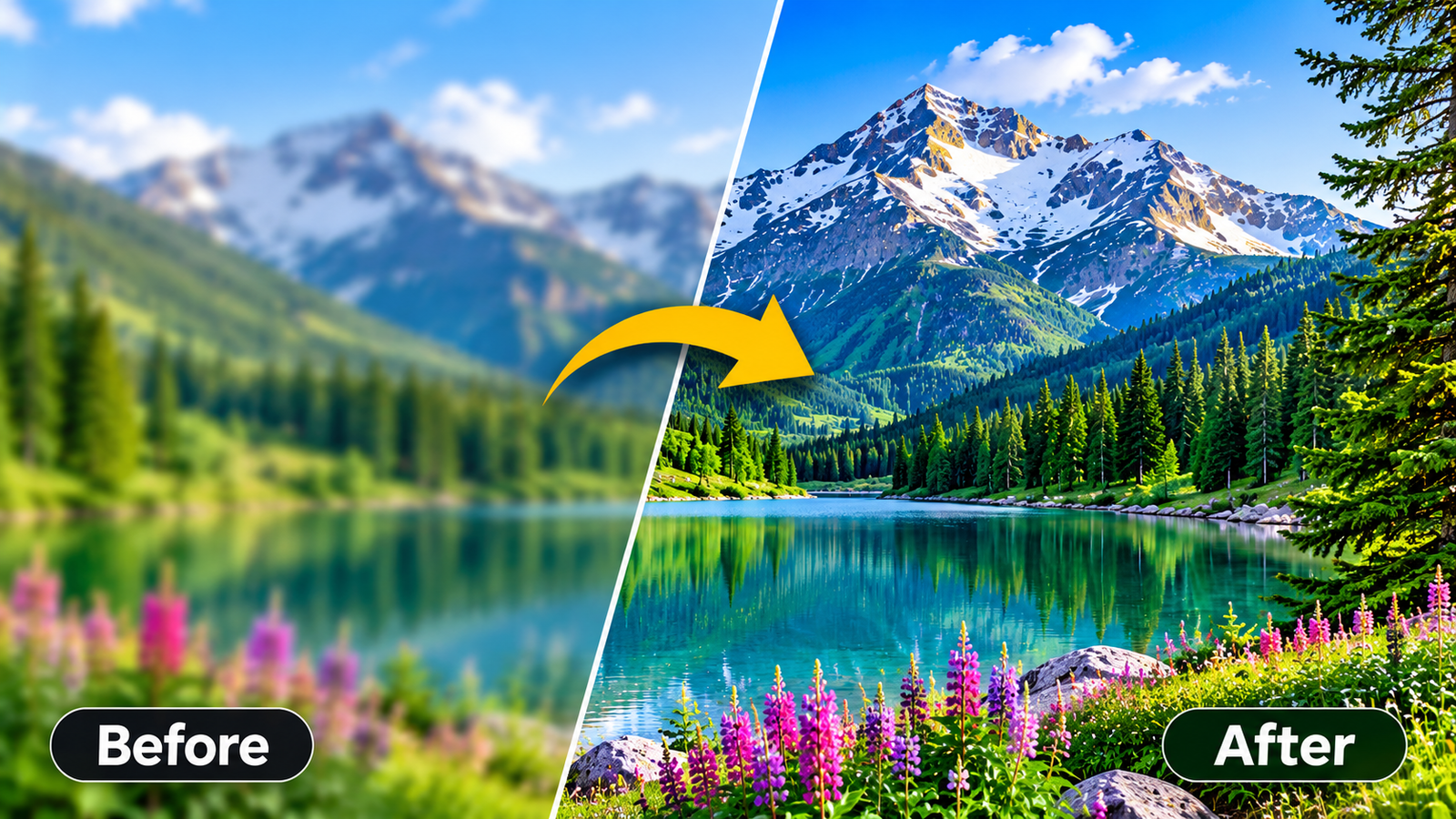
Looking for the 7 Best AI Image Sharpeners to fix blurry images in 2026? In this guide, we have tested the top AI Image Sharpener tools to make your photos clear and sharp . Blurry pictures can be frustrating, especially when you want to use them on a website, social media page, or professional project. Sometimes a photo looks good on a phone but loses clarity when viewed on a larger screen.
AI image sharpeners can help improve these pictures by enhancing details, reducing noise, and making images look clearer. Many tools also offer additional features such as image upscaling and photo restoration.
In this guide, we will explore seven AI image sharpeners worth considering in 2026, along with their features and suitable uses.
What Are AI Image Sharpeners?
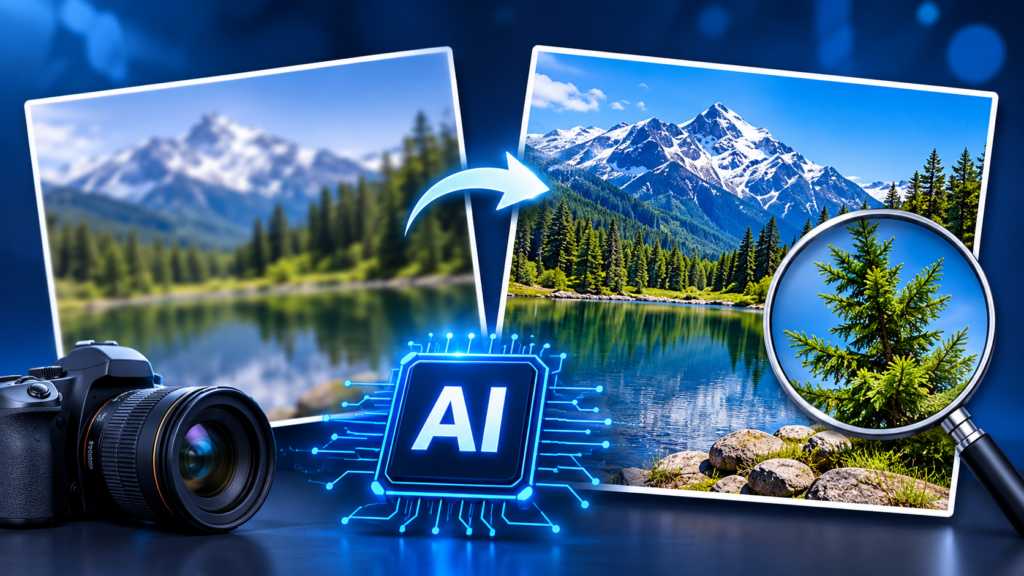
AI image sharpeners are online tools or desktop applications that use artificial intelligence to improve the appearance of blurry pictures. They analyze image details, edges, and textures before applying enhancement techniques.
These tools can be useful for:
- Improving slightly blurry photographs.
- Enhancing low-resolution images.
- Making product pictures clearer.
- Improving older photographs.
- Preparing images for websites and social media.
Some tools also support image upscaling, which increases picture dimensions while attempting to maintain visual quality.
How Do AI Image Sharpeners Work?
Most AI image sharpeners follow a simple process to improve image quality.
- Image Analysis: The tool examines the uploaded picture and identifies blurry areas and details.
- Detail Enhancement: AI processing improves the appearance of edges and textures.
- Noise Reduction: Some tools reduce unwanted grain and visual noise.
- Image Upscaling: Supported tools can increase image dimensions.
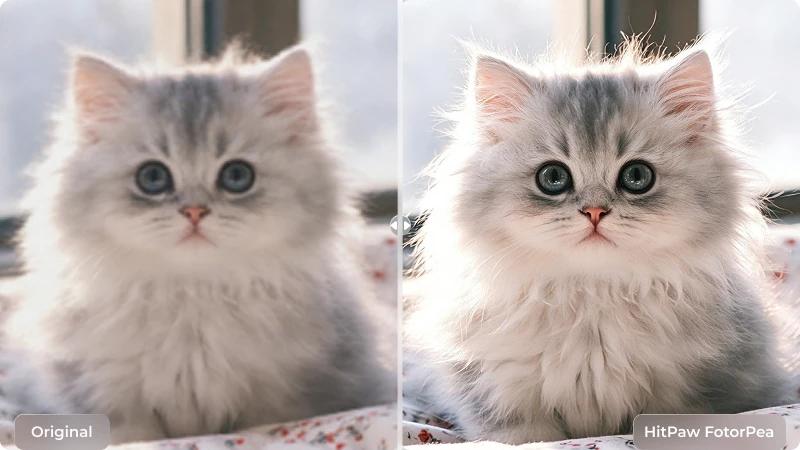
- Preview and Download: Users can compare the original and enhanced versions before downloading.
The results depend on the original image quality and the features available in each tool.
7 Best AI Image Sharpeners in 2026
Here are seven popular options for improving blurry and low-quality pictures.
1. LetsEnhance
LetsEnhance is an online platform designed to improve image quality and increase resolution. It can be useful when you need clearer pictures for blogs, websites, presentations, or digital content.
Its AI enhancement features make it worth exploring for users who regularly work with low-resolution images.
Key Features:
- AI image enhancement.
- Image upscaling.
- Online image processing.
- Different enhancement options.
Best For: Bloggers, content creators, and businesses.
2. Picsart AI Image Sharpener
Picsart combines photo editing and graphic design features in one platform. Its image enhancement options can help improve picture clarity while allowing users to continue working on their designs.
It is a convenient option for people who create social media posts, promotional graphics, and other digital content.
Key Features:
- AI image enhancement.
- Photo editing tools.
- Background editing.
- Creative design features.
Best For: Beginners and social media creators.
3. Topaz Photo AI
Topaz Photo AI is designed for users who need more advanced photo enhancement. It offers features such as sharpening, noise reduction, and image upscaling.
Photographers may find it useful when working with pictures that need more detailed adjustments than basic online tools can provide.
Key Features:
- AI-powered sharpening.
- Noise reduction.
- Image upscaling.
- Desktop editing workflow.
Best For: Photographers and advanced editors.
4. Adobe Photoshop
Adobe Photoshop is a professional image editing application with several tools for improving picture quality. Its sharpening filters and image correction features provide more control over the editing process.
It is also useful when sharpening is only one part of a larger design project.
Key Features:
- Advanced photo editing.
- Sharpening filters.
- Layer-based editing.
- Image correction tools.
Best For: Professional photographers and graphic designers.
5. Adobe Lightroom
Adobe Lightroom is widely used for organizing and editing photographs. It includes sharpening and noise-reduction controls that help improve the appearance of digital pictures.
Users can also adjust exposure, colours, and other image settings within the same workflow.
Key Features:
- Photo sharpening.
- Noise reduction.
- Colour adjustments.
- Photo organization.
Best For: Photographers and regular photo editors.
6. OpenArt Unblur
OpenArt offers AI-powered creative tools, including features for improving blurry images. Its unblur functionality can be useful for people working with AI-generated artwork and digital visuals.
Always review the enhanced result because AI processing may sometimes introduce unnatural details.
Key Features:
- AI image enhancement.
- Unblur functionality.
- Creative image workflows.
- Online editing tools.
Best For: AI artists and digital creators.
7. PhotoSharpener
PhotoSharpener is a browser-based option focused on improving image sharpness and quality. It may be suitable for users who prefer a dedicated online solution instead of installing complete editing software.
Before using any online service, check its current features, privacy policy, and usage limits.
Key Features:
- Online image sharpening.
- Image upscaling features.
- Browser-based workflow.
- Image preview options.
Best For: Bloggers, small businesses, and casual users.
How to Choose the Best AI Image Sharpener
Choosing the right tool depends on your image quality and editing requirements. Consider these factors before making a decision.
1. Understand Your Image Problem
Identify whether your picture has soft focus, low resolution, or motion blur. Different problems may require different enhancement features.
2. Check Image Quality
Choose a tool that improves clarity without creating unnatural edges or overly smooth textures.
3. Compare Features
Some image enhancement tools focus on sharpening, while others also provide noise reduction, restoration, and upscaling.
4. Consider Supported Image Formats
Check which image formats the platform accepts. Common formats include JPG, JPEG, PNG, and WebP. This can save time when working with different types of images.
5. Review Pricing and Ease of Use
Some platforms offer limited free features, while others require a paid subscription. Compare their plans and choose an option that suits your needs.
AI Image Sharpening vs. Image Upscaling
Image sharpening and upscaling are related, but they serve different purposes.
| Feature | Image Sharpening | Image Upscaling |
|---|---|---|
| Purpose | Improve perceived clarity | Increase image dimensions |
| Focus | Edges and details | Image size |
| Common use | Blurry pictures | Small images |
| Result | Sharper appearance | Larger image |
Some AI image sharpeners combine both features, making them useful for pictures that are blurry and too small.
Tips for Getting Better Results
You can improve your results by following a few simple practices:
- Start with the original image whenever possible.
- Avoid heavily compressed pictures.
- Use moderate sharpening settings.
- Compare the original and enhanced versions.
- Check faces, text, and logos carefully.
- Keep a backup of the original file.
- Avoid repeatedly processing the same image.
These steps can help you maintain a more natural-looking result.
Frequently Asked Questions
1. What are the best AI image sharpeners?
LetsEnhance, Picsart, Topaz Photo AI, Photoshop, Lightroom, OpenArt, and PhotoSharpener are options worth exploring.
2. Can AI sharpen a blurry image?
Yes. AI tools can improve the appearance of many blurry pictures, although severely blurred images may not be completely restored.
3. Can I sharpen images online for free?
Some online platforms offer free image enhancement with limited features or usage restrictions.
4. Is sharpening the same as upscaling?
No. Sharpening improves perceived clarity, while upscaling increases image dimensions.
5. Which tool is suitable for beginners?
Picsart and LetsEnhance may be convenient starting points because of their accessible online workflows.
6. Can AI improve old photographs?
Yes. Some AI tools can improve clarity and reduce certain imperfections in older photographs. Results depend on the original condition.
7. Does sharpening increase image resolution?
No. Sharpening alone does not increase image dimensions. For larger pictures, choose a tool that also supports upscaling.
Final Thoughts
AI image sharpeners make it easier to improve the appearance of blurry and low-quality pictures. Whether you need a simple online solution or advanced editing software, there are several options to explore.
LetsEnhance and Picsart may suit users looking for accessible editing workflows, while Topaz Photo AI, Photoshop, and Lightroom offer more advanced features. OpenArt and PhotoSharpener are additional options for specific creative needs.
Before choosing a tool, compare its features, check supported image formats, and review the final result carefully. The best choice is the one that improves your picture while keeping it natural.